100% powered by Google Sheets

WooCommerce Store Locator

woocommerce store locator logo

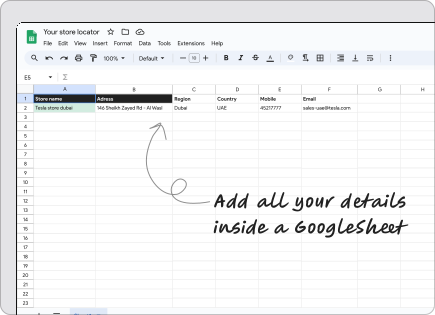
Build an attractive Store locator for your WooCommerce website with just a Google Sheet

Install Plugin
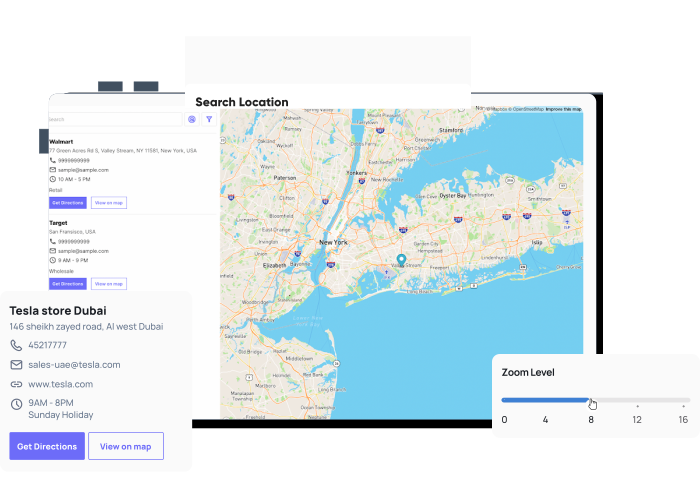
WooCommerce Store Locator map

What does a WooCommerce Store Locator offer

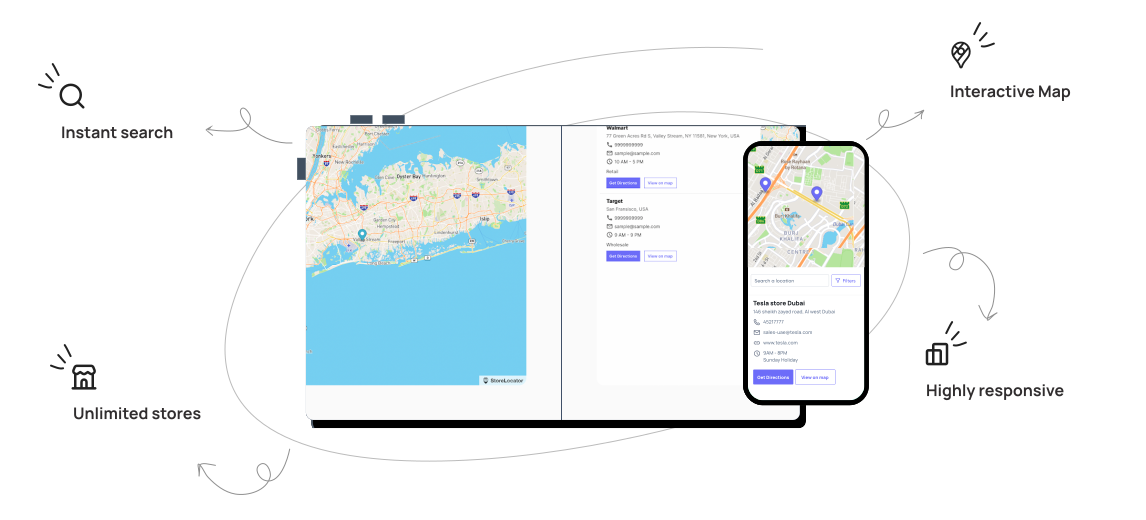
An easy-to-add, beautiful store locator that looks good on any site ideal for your e-commerce store

WooCommerce Store Locator map

Why choose us

Easy store locator for WooCommerce

Turn your Google Sheet into an interactive map that is fully functional in seconds.
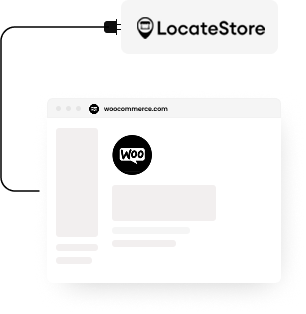
Ready to use

Ready to use

The store locator WooCommerce is easy to install and can be used right away after adding locations to the Google Sheet.
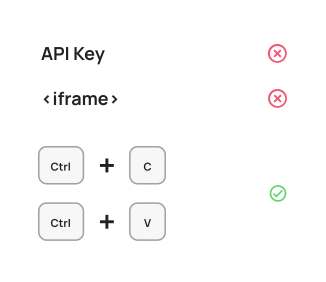
No technical skills required

No technical skills required

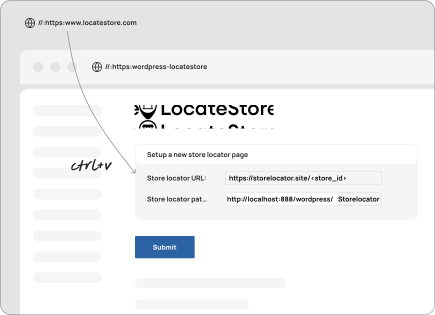
API keys and complicated codes are not necessary since integrating is made simple with copy and paste
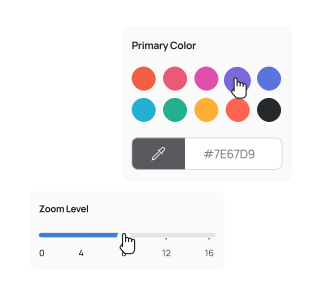
Easy Customisation

Easy Customisation

Reflect your brand's colors with store locator Woocommerce's simple customisation features

Easy to Manage

Best WooCommerce Store Locator

The store locator plugin WooCommerce by LocateStore creates a store locator for your WooCommerce site with attention to each detail.

Features you need

Key features of WooCommerce Store Locator

A single Google sheet enables easy management of all your stores comfortably

Stunning Maps

Stunning Maps

Powered by Mapbox the Store Locator WooCommerce provides simple and pretty interactive maps

Translate to any language

Translate to any language

Quick and easy translation of your WooCommerce Store Locator to any desired language

Pin countless locations

Pin countless locations

Add as many store locations to your WooCommerce store locator by adding more rows in the Google Sheet.

Mobile-Friendly

Mobile-Friendly

The Store Locator Plugin WooCommerce is ideal and can be comfortably browsed via mobile devices since it's 100% optimised for smaller devices

Get Directions

Get Directions

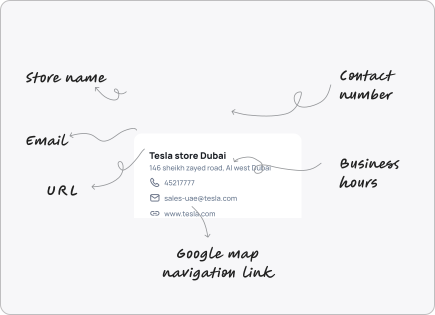
Sent your customers directly to Google Maps to find the store closest to them with instant navigation

Search

Search

Quick and efficient search feature to assist visitors find their ideal location offering convenience

Install Plugin

Testimonials

Customer thoughts

Here is what some our customers had to say about LocateStore.

five stars

LocateStore is a great tool to showcase our retailers online. It works fine and looks simple and clean too!

I like how all the data in Google sheet is automatically updated on my website.

Bartek
Bartek
Lovely Linen
five stars

There are a lot of multi-store plugins & tools out there, but most of them have very bad interfaces. I was blown away by how simple it was use Store Locator!

Also their UI/UX is simply the best.

Alex
Alex
Peak Furniture
five stars

Can't recommend this enough.

Used it on a website I'm building and it was the fastest store locator I've ever used!

Am
Am
Freelancer

Common questions

Still you have any questions? Contact our Team via hello@locatestore.com

How do I install a WooCommerce store locator plugin?

To install the WooCommerce Store Locator plugin, go to the WordPress dashboard, select plugins, then add new, search for LocateStore, install, and activate. Open plugin settings and you can link to LocateStore via account/project. You can also add the StoreLocator to a page using the provided short code on the desired page. To manage stores, use the automatically connected Google Sheets. Finally, customise and adjust map settings, filters, and design in the plugin or LocateStore dashboard, then publish the page.

What is the maximum number of stores I can add?

You can add a countless number of locations in the Store Locator software. Just add sufficient details as a new row in the Google sheet.

How do I track store locator performance?

To track the performance of the WooCommerce Store locator, use the LocateStore's analytics from the dashboard to measure metrics like number of searches and visits via the interactive graph provided on the account homepage.

Is there a free version of the store locator plugin?

Definitely! LocateStore comes with a free forever plan with searches limited to 100 monthly visits, 500 searches, and countless locations. You can opt for premium plans if your business requires more, but it's recommended to start with the WooCommerce store locator free version.

Does the plugin support multiple languages?

Yes! The store locator plugin in WooCommerce can be created in the language of your choice.

rocket

Get a beautiful
WooCommerce store locator today!

Help customers find your locations easily

Create a Store Locator